


 Communication Solutions
Training & Implementation
Funding
About Us
Contact
Support/Service
Find an AAC Consultant
Search
Communication Solutions
Training & Implementation
Funding
About Us
Contact
Support/Service
Find an AAC Consultant
Search
Select Language
Your customized vocabulary file is one of the most important pieces of your AAC system. You’ve shaped it to tell your story and meet your unique needs. Your custom file goes with you when you upgrade your communication device. Backing up your file regularly keeps it safe so we offer many ways to do it.
With that in mind, here is big news for vocabulary file compatibility to give you more options for your AAC solution!
For those who communicate with Accent® devices, the new vocabulary converter feature within NuVoice® and Empower® software allows you to convert and transfer many custom files to a different software platform. Depending on the vocabulary, you may convert your vocab file from NuVoice to Empower, or from Empower to a NovaChat® or Via®/iOS device, or both!
Explore the list of compatible vocabularies for Empower 1.33 and NuVoice 2.43 through the PRC-Saltillo Knowledge Base links below. NuVoice and Empower software manuals on the Knowledge Base are regularly updated with the latest information.
The vocabulary converter software feature is available on Accent devices or emulation software with Empower 1.33 and higher or NuVoice 2.43 and higher. Conversion time varies by file. Consider importing your NuVoice file into Empower emulation software on a PC computer for faster results. Visit the Knowledge Base for step-by-step instructions on converting your custom vocabulary file whether you are going from NuVoice to Empower, Empower to NovaChat/iOS, or both!
Watch this tutorial on how to transfer a customized vocabulary file from NuVoice to Empower, iPad, or NovaChat.
The vocabulary conversion process focuses on the vocabulary, not the extended features. The conversion process currently supports the features listed below.
Features that will be converted with Empower 1.33 and NuVoice 2.43:
Given the age of some vocabularies and the transfer across multiple platforms, we expect that some customers will need our help. Our clinical and service teams are committed to assisting customers with this process. In addition, more improvements will be added to this new feature with update 1.34 later this fall. NuVoice and Empower software manuals on the Knowledge Base are regularly updated with the latest information.
If you are considering your next communication device, start by scheduling an in-person or online session with your PRC-Saltillo AAC Consultant who is ready to share and compare AAC solutions customizable to your unique needs. You may also want to explore our fundable AAC device offerings on the eStore.
Learn more about other new features available with Empower 1.33 and update your Accent communication device today.
 Products
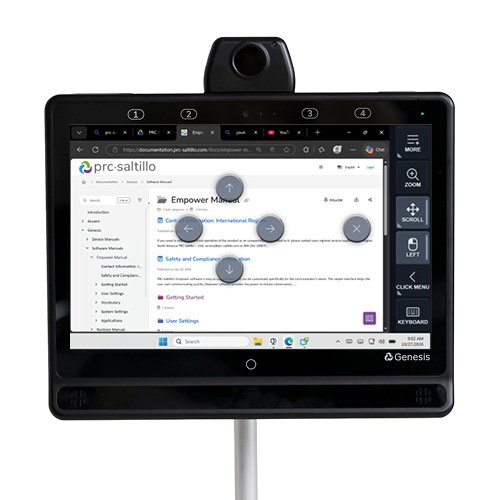
Your Genesis Communication Device, Now In Control Of Your Computer
Published November 4, 2026Expand what’s possible with Genesis computer control. Use familiar eye or head tracking to navigate Windows, browse, type, scroll, click, and more.
 AAC Funding
Funding Update: What Elevance Health’s New 60-Day AAC Trial Requirement Means For You
Published November 3, 2026Learn what Elevance Health’s new 60-day AAC device trial requirement means for your client and how to prepare, document, and get funding support.