


 Communication Solutions
Training & Implementation
Funding
About Us
Contact
Support/Service
Find an AAC Consultant
Search
Communication Solutions
Training & Implementation
Funding
About Us
Contact
Support/Service
Find an AAC Consultant
Search
Select Language
Speech-generating devices are designed for your everyday conversations—impromptu connections, serious chats, and everything in between. If you give presentations or prepared remarks, many high-tech AAC systems have added features to assist you. Perhaps you’ve been asked to share a five-minute speech for your local club or you are preparing to give a wedding-reception speech. Explore the tools within Empower® software for Accent® devices that let you control how you say what you want to say.
This button action tells your device to speak the text in your message window sentence by sentence beginning where the cursor lies. This is a great way to deliver the speech you stored to a button in the steps above.
When paired with the button action to move cursor to top (beginning) of the message window, the Speak Sentence by Sentence button action allows you to self-time the delivery of the words in the message window sentence by sentence. This lets you control the timing or pace of your remarks before you continue such as:
Note: This feature works well for individuals who have good timing with their access method.
When paired with the button action to move cursor to bottom (end) of message window, the speak sentence by sentence will not read anything because it’s at the end and believes your speech is complete.
Check out this Knowledge Base article on how to create a button with the Speak Sentence button action.
This button action is great for adding suspense, telling jokes, and more. Control your speech output with customized delays in a variety of situations such as performing lines in a school play or telling a joke. This feature gives you more control about intentional pauses and can also help the listener take in extended information.
With the Insert Pause button action, you are placing a delay inside a message. When activated, you will see a watch and time amount [Clock1s] in the message window.
Here’s the pathway to use this button action: How to Editor > Edit > Select a Button > Text: Pause > Color > Action > Message Function Insert Pause.
When you select the button, you will see a pop up “Pause Time” asking you to choose how many seconds (up to 10) for the delay. You can also change the time manually in the Message Window.
Check out this Knowledge Base article on how to create a button to insert a pause within a sentence.
Use the List-O-Matic button action, a longtime software favorite, to play a list of items in the order you specify or in a random order with the press of a button in your vocabulary. Each time you select the button, the next item will play. With List-O-Matic, you can tell a joke, play bingo, roll dice, and more! You could also prepare multiple stored speech buttons for sharing one after another.
Check out this Knowledge Base article on how to create a List-O-Matic button action.
If you are planning a speech or any kind of longer message, use the copy and paste button actions to move text that you’ve written in between applications. Explore these button actions and more to make the most of your AAC system. Need a refresh on how to program a button? Review the step-by-step instructions on Knowledge Base or connect with your PRC-Saltillo AAC Consultant.
Update your Empower software to version 1.31 to use all the features noted here and enjoy your voice even more on stage and beyond. Coming soon: Watch for these new button actions to be added to AAC vocabularies.
 Products
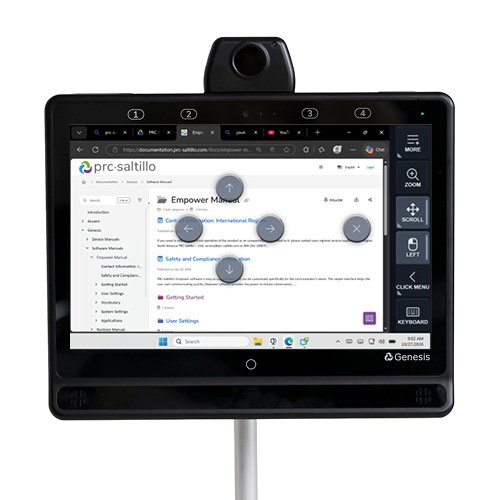
Your Genesis Communication Device, Now In Control Of Your Computer
Published November 4, 2026Expand what’s possible with Genesis computer control. Use familiar eye or head tracking to navigate Windows, browse, type, scroll, click, and more.
 AAC Funding
Funding Update: What Elevance Health’s New 60-Day AAC Trial Requirement Means For You
Published November 3, 2026Learn what Elevance Health’s new 60-day AAC device trial requirement means for your client and how to prepare, document, and get funding support.