


 Communication Solutions
Training & Implementation
Funding
About Us
Contact
Support/Service
Find an AAC Consultant
Search
Communication Solutions
Training & Implementation
Funding
About Us
Contact
Support/Service
Find an AAC Consultant
Search
Select Language
Have you heard about the new InputStick computer controls accessory for NovaChat® devices? You’re in tough competition to be as excited about the value this new feature will bring to AAC communicators as PRC-Saltillo Training and Implementation Specialist Heather Prenovost, MS, SLP-CCC. Heather will be demonstrating NovaChat computer controls at ATIA Demo Days on Wednesday afternoon, September 27. Today, you get the inside scoop on how the InputStick impacts AAC learners from a school SLP perspective.
“From the moment I first heard about the InputStick, there was excitement for the learners who use NovaChat! They will now have a way to produce written output. It’s great that students can take a sentence they made from their AAC system and send it to a computer and put it in written form for someone!”
“AAC learners who have difficulty writing sentences can’t participate like their peers. The InputStick can help reduce this barrier. Many NovaChat communicators are learning how to put sentences together with their WordPower® language system. That can translate to how the writing process works on paper, in a Microsoft® Word document, or other computer application.
A lot of students I worked with who used a NovaChat would need to have a staff person take pictures of their vocab screen as their written output. Or the student would take their speech-generating device (SGD) to show the teacher what they wrote. Now they have a way to collect their writing on the computer and turn in their assignment. And they can be proud of their work!”
“InputStick computer controls will help students participate more in class. Learners will connect more with the internet and other computer-based apps. It’s exciting for parents too! Parents want their kids to do what their peers are doing—especially in pre-teen and teen years. They’ll get to see their child use their familiar language to explore their interests on the web and post their ideas on social media.”
“Computer controls will allow students to continue growing their expressive language—both through AAC and writing. Providing them with new opportunities to interact with computers and the digital world will in turn provide more independence and opportunities for them to communicate in a variety of ways. For example, a child knows how to tell you on their NovaChat that they like dinosaurs, and now they can share that in other ways such as on the internet or in a Google™ doc.”
“Remember that with any new feature on an AAC system, it will take time for you and your AAC learner to figure it out completely. Start small. Pick one way that you want to use computer controls and practice it together. Check out the video tutorial below to get started. You can also reach out to your local AAC consultant with questions.”
“Look for engaging ways to practice using computer controls. Here’s a simple way to try many functions and have something fun to show others. It may require you as the communication partner to do some of the steps to start, but that’s OK. Start the journey together.”
“The InputStick offers the simplicity of connecting wirelessly at home or school. You can pack the small USB into a backpack and bring it back and forth. Or purchase one for each location.”
View InputStick on the eStore.
Heather’s passion is training individuals to use PRC-Saltillo’s AAC systems to their best. She enjoys breaking down the information so they can grow without feeling overwhelmed. Join her live demonstration Widen Your World: NovaChat Computer Controls on September 27 around 3pm at ATIA’s online Demo Days.
Heather Prenovost, MS, SLP-CCC, has 17 years of experience working as a speech-language pathologist (SLP) in the school system. There she assisted AAC communicators both individually and in the classroom to develop carryover skills. Heather has experience with students ranging from childhood to young adults. Currently, Heather is a PRC-Saltillo employee serving as a Training and Implementation Specialist.
Products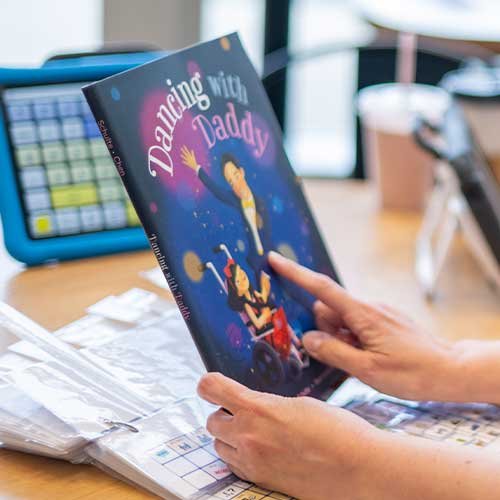 Educational Resources
Representation Matters: Books And Media That Amplify AAC Voices
Published September 23, 2026Discover books, movies, TV shows, and media featuring AAC users and people with communication disabilities. Explore authentic stories that promote awareness, inclusion, and representation.
 Products
Welcome To New Possibilities: Unveiling The New Genesis Communication Devices
Published September 13, 2026Genesis AAC communication devices for adults with ALS and other complex communication needs. Personalized, durable technology designed for independence.