


 Communication Solutions
Training & Implementation
Funding
About Us
Contact
Support/Service
Find an AAC Consultant
Search
Communication Solutions
Training & Implementation
Funding
About Us
Contact
Support/Service
Find an AAC Consultant
Search
Select Language
Experience the best of Empower® when you update your software! The 1.23/1.24 updates – including new voice options and enhanced scanning features – were made to help you succeed even further with augmentative and alternative communication (AAC). Update today!
To update, plug your Accent® device in using the provided battery charger. In Empower, choose Menu > Toolbox > System Settings and then select the Updates tile. The current version is listed. Follow the prompts to update. Make sure that your Accent® device is plugged in using the provided battery charger before starting during the update. You won't be able to use the device during the update, so choose a time when device use is less needed or lite-tech AAC could be used.
Watch the What’s New video to see the highlights for Empower 1.23/1.24. Read the details below for more information.
Almagu voices are now available on all new Accent® devices
Your voice is an important part of your AAC experience. With this update, Almagu inclusive voice options are now available on new Accent devices shipping in the U.S. and Canada. Six Almagu voices come pre-installed on new devices; Almagu has a wide range of voices that are realistic and representative of a variety of age groups: child, teen, adult, and senior. Listen to voices here on the Inclusive Voice/Almagu tab.
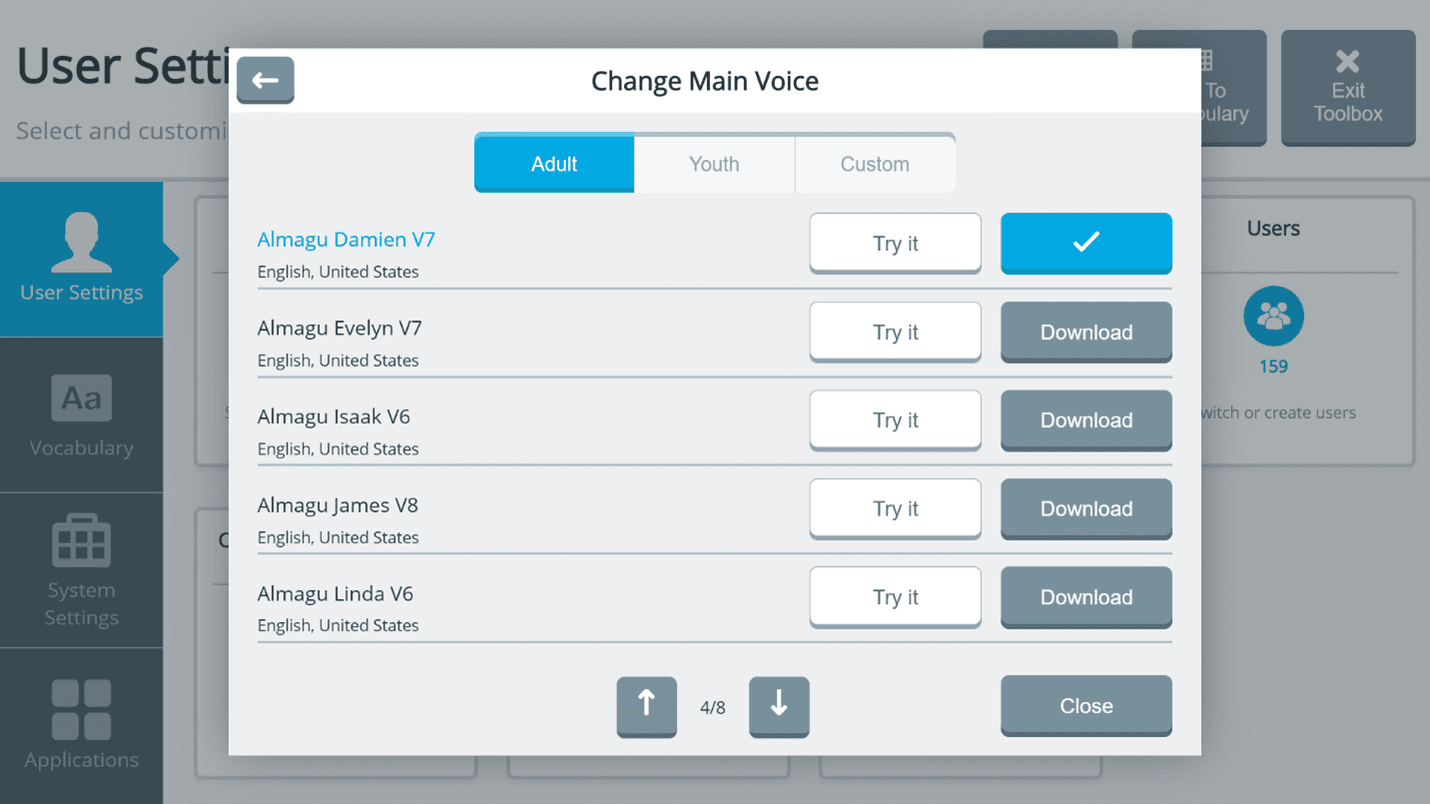
To explore voice options on your device, choose Menu > Toolbox > User Settings > Voice. In this area, you can customize the voice speed and pitch.
Note: With this update, Almagu voices are now available across all PRC-Saltillo product lines and operating systems. For example, you can use your chosen voice with your LAMP Words for Life® vocabulary on your Accent as well as your LAMP Words for Life iOS app.
Make a free custom voice option from The Voice Keeper
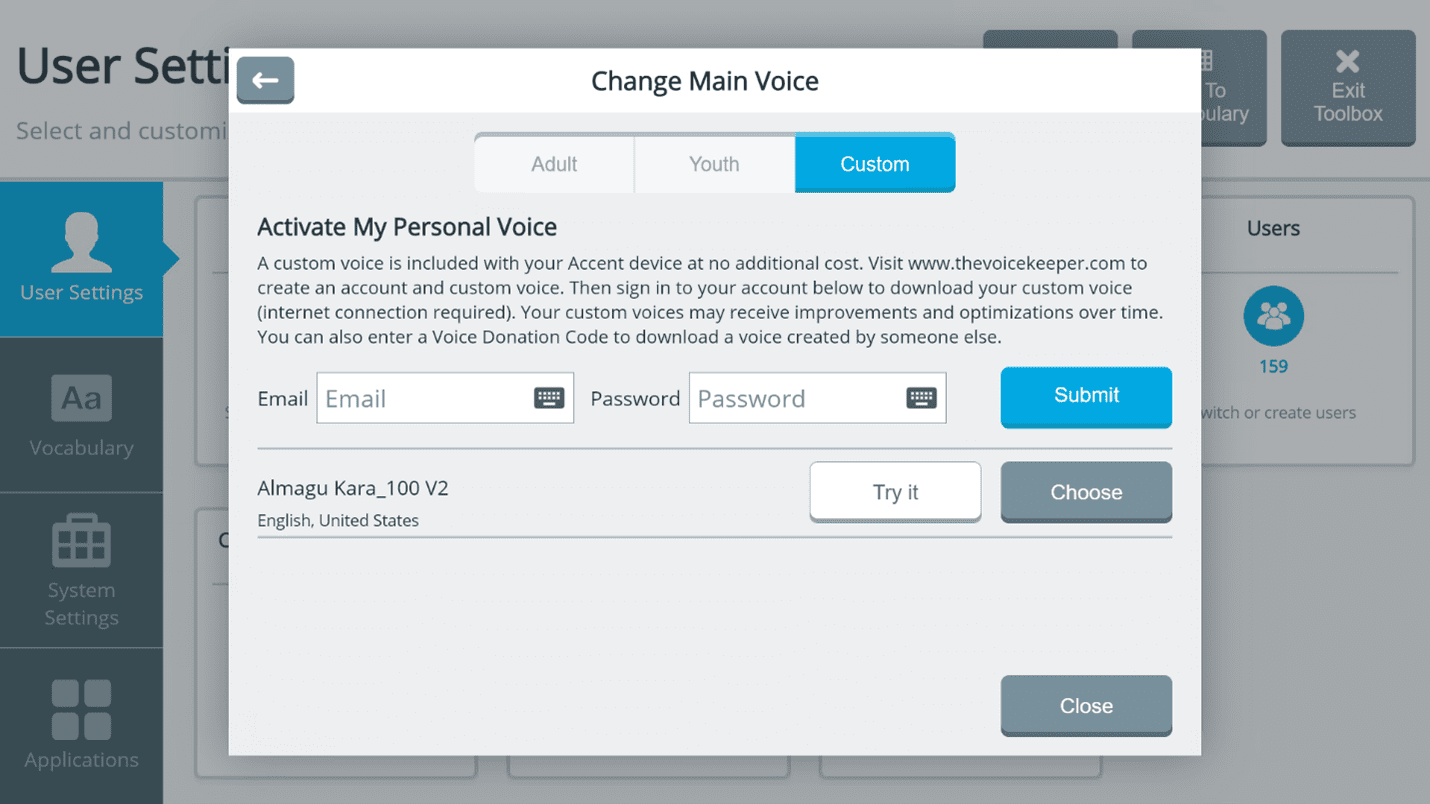
Personalize your AAC experience with a free custom voice from The Voice Keeper™ by Almagu. It’s an opportunity for your voice to have your regional accent. Your synthesized voice could also be created by a family member or peer. This option is now available at no charge on new Accent devices shipping in the U.S. and Canada. Learn more about creating a custom voice with The Voice Keeper today! Check out their app to simplify the voice creation process!
Scan same button again feature
Check out a new setting that will benefit those who activate buttons through one and two switch scanning. The Scan Same Button Again feature allows communicators to select the same button multiple times without having to scan back to the button again. With this feature turned on in the settings menu (Menu > Toolbox > User Settings > Access Methods > Scanning), you can more quickly:
Check it out and find other ways to make the most of this new feature!
New magnification feedback for scanning
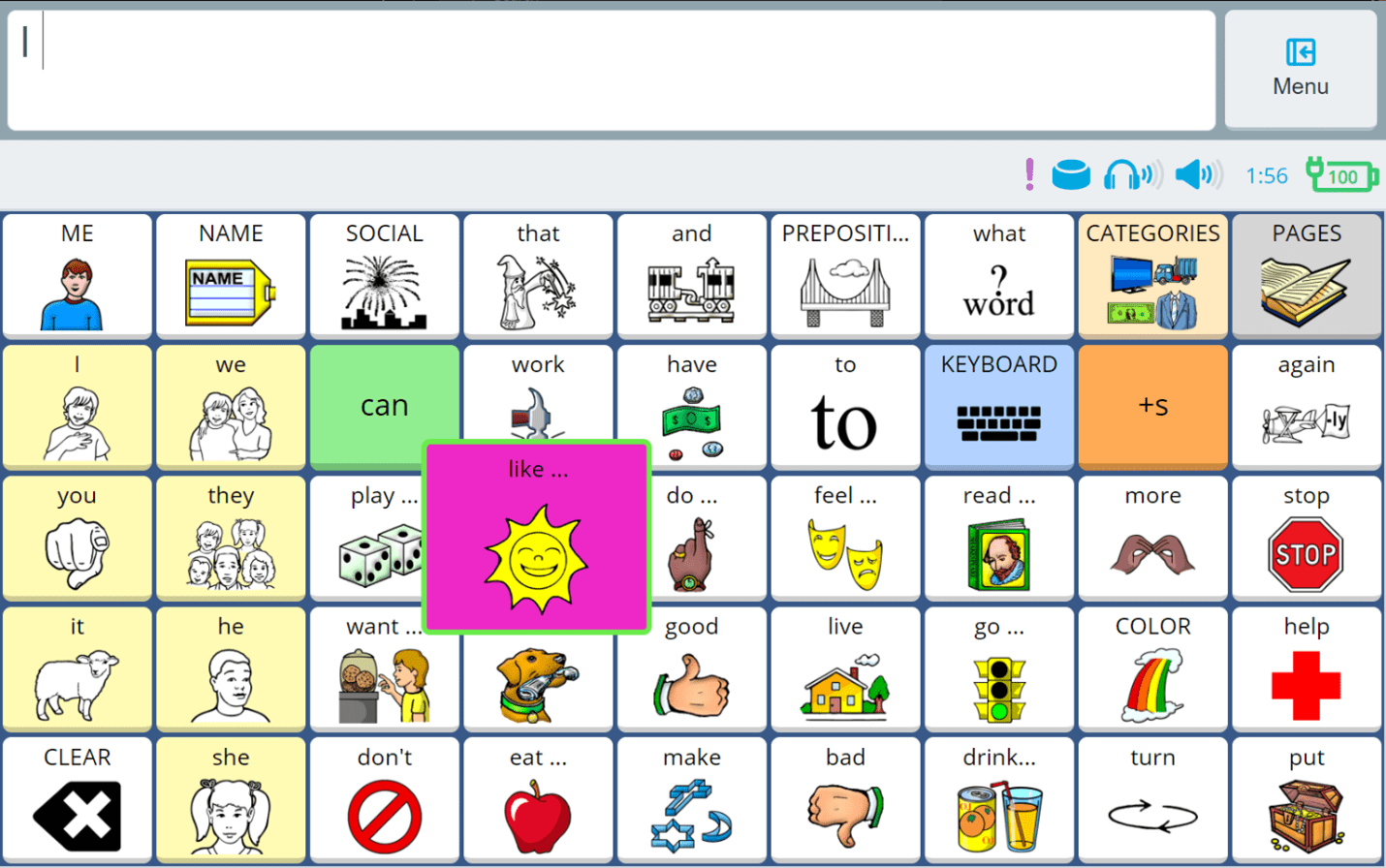
Update 1.23/1.24 also includes a new magnification feature for single buttons when using switch scanning. For example, when scanning row/column, buttons within the selected row will magnify one at a time, so they are easier to see and simple to follow. The increased button size will help visually especially for those who have larger vocabulary grids. Turn this feature on in the settings menu (Menu > Toolbox > User Settings > Cursor, Dwell & Selection Feedback) and adjust border, fill, and magnify options to your personal preference.
In the screenshot below, the button like is shown magnified and customized with pink fill and green border.
New navigation between separate vocabularies
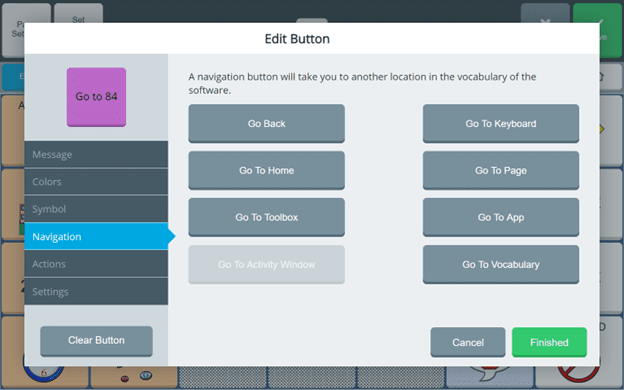
A new type of navigation has been added in Button Editor called Go to Vocabulary. With this navigation button added to two separate vocabulary files, you can now switch back and forth between those files. For example, it may be beneficial to your new learner to go between Unity® 28 and Unity 84 as you are exploring their language goals and abilities.
In the screenshot below, a button labeled “Go to 84” is being added to the vocabulary file with the new navigation feature “Go to Vocabulary.”
Additional Features and Fixes for Empower 1.23/1.24
View all details of the latest software update here.
Knowledge is power. If you are new to Empower, explore the software features and customization options on AAC Learning Journey with the free Empower Toolbox eLearning course. Topics include access method options, visual and audio features, and creating your vocabulary backup.
Each summer, PRC-Saltillo’s training and implementation team creates an interactive, at-your-own-pace four-week lesson plan, called the AAC Language Lab Summer Camp. It’s summertime fun to rock on with AAC no matter your AAC solution. You’ll find activities to do indoors and out. Plus, parents and caregivers can learn more through the AAC for Families Summer Webinar Series that ties into the camp activities. We hope this summer is overflowing with core words and language development!
 Company News
Familiar Symbols. Faster Visuals. More Time For Communication.
Published October 21, 2026PRC-Saltillo welcomes Ner Chat and Glint, bringing Minspeak symbols to Glint to help educators and clinicians create familiar visual supports faster.
 Software Updates
More Ways To Make AAC Your Own: What’s New In The 2026.3 App Update
Published October 14, 2026Discover what’s new in the 2026.3 AAC app update, including Modern Minspeak symbols, personalized AI features, new vocabularies, and accessibility updates.